



















Mr Baron does not publish a store app. Instead, the full casino runs inside your phone's browser, with a bottom bar built for quick thumb access.

How the Mobile Site Works
Open mrbaroncasino.com in your phone's browser and the layout adjusts automatically. Slides, categories and the game grid all resize for a smaller screen.
There is no separate app to install from a store. Everything you see on desktop is reachable from the same mobile address.
What Sits on the Bottom Bar
A fixed bar runs along the bottom of the screen on mobile, keeping the most used actions within reach while you scroll.
| Icon | What it does |
|---|---|
| Promotions | Jumps to the current bonus offers |
| Tournaments | Opens the weekly tournament leaderboard |
| Deposit | Opens the cashier to add funds |
| Search | Finds a specific game by name |
| Chat | Opens live chat with support |
A Quick Example
Take a simple case. A €100 first deposit with code WELCOME250BONUS adds a 250% bonus, worth €250. The account balance would show €350 in total, bonus and deposit combined. Choosing WELCOMECASH50 on the same €100 instead would add €50 in cash, with no wagering attached at all. Which path suits better depends on whether a player wants bonus size or an instant, unrestricted cash top up.
A labelled example, not a real account , No player account verifiedAdding Mr Baron to Your Home Screen
The footer carries a line that reads Install and play. This simply means adding the browser page to your home screen, not downloading an app from a store.
Steps on Most Phones
Open the site in your browser, then use the browser's own menu to add the page to your home screen.
An icon appears alongside your other apps, and tapping it reopens the mobile site directly without typing the address again.
Depositing and Withdrawing on Mobile
The cashier on mobile mirrors the desktop one. Cards, e-wallets, vouchers and crypto are all listed the same way, just stacked for a narrower screen.
A deposit or a withdrawal request takes the same steps as on a laptop or desktop computer.
Claiming a Bonus Code From Your Phone
Welcome codes such as WELCOME250BONUS and WELCOMECASH50 work the same way on mobile. Enter the code at the deposit screen, right after choosing a payment method.
Fixing Mobile Loading Problems
A slow or blank mobile page is usually a browser issue rather than a site one.
- Clear the browser cache if the slider or game grid will not load
- Switch from mobile data to Wi-Fi if a game keeps freezing
- Reload the home screen icon once after adding it, to confirm it opens correctly
Which Mobile Browsers Work Best
Mr Baron runs on standard mobile browsers rather than a dedicated app. Most modern browsers render the slider and game grid without extra setup.
Keeping your browser updated usually fixes small display issues before they become a real problem.
| Browser | Notes |
|---|---|
| Safari | Works well on iPhone and iPad, supports Add to Home Screen |
| Chrome | Works on Android and iOS, with a similar home screen option |
| Firefox | Loads the mobile site, though the home screen step may differ |
| Samsung Internet | Default browser on many Samsung phones, supports home screen shortcuts |
How Mobile Compares to Desktop
The mobile site mirrors the desktop lobby in almost every way. Promotions, tournaments and the game library stay the same across devices.
Screen size is the main difference. Tables with many columns, such as the full weekly reload calendar, need more scrolling on a phone.
Why Add the Home Screen Icon
Typing the full web address every time can slow you down. A home screen icon turns the mobile site into a one tap shortcut.
It does not change how the site works. The icon simply opens the same mobile browser page without a visible address bar.
- Saves typing the address on every visit
- Keeps the icon next to your other apps for quick access
- Opens straight into the lobby, skipping any bookmark search
- Can be removed at any time like any other home screen shortcut
- Works the same way on most phones, regardless of the brand
What We Like
- No app download needed, works in any mobile browser
- Bottom bar puts deposits and chat within one tap
- Home screen icon loads the site instantly
- Bonus codes work exactly as they do on desktop
What To Check First
- No official store app, so some players expect one that does not exist
- Mobile data use is not stated anywhere on the site
- Smaller screens make long promotion tables harder to scan
Hypothetical Mobile Scenarios
Imagine depositing €100 with code WELCOME250BONUS. That adds €250 in bonus credit, for a €350 balance before any wagering is cleared.
First deposit scenario , Hypothetical scenario
Imagine depositing €200 with code WELCOMECASH50 instead. That adds €100 in real cash, free of wagering, so a withdrawal could be requested straight away.
No wagering scenario , Hypothetical scenario
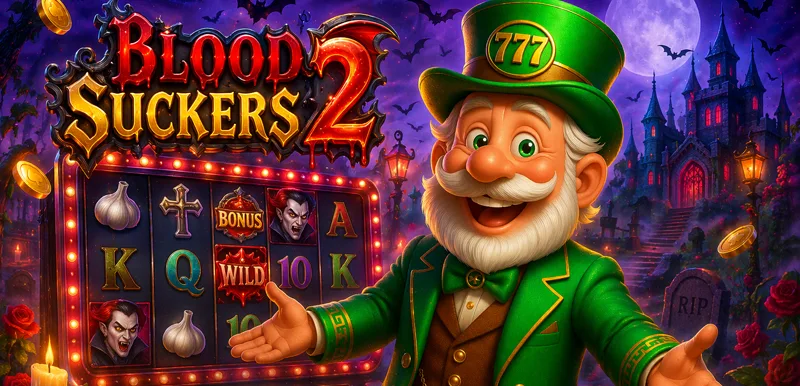
Imagine a €50 deposit on a Tuesday using code BLOODWIN. At that tier it adds 150% plus 15 free spins on Blood Suckers 2, before any wagering is counted.
Midweek reload scenario , Hypothetical scenario
Mobile Questions, Sorted Quickly
Is there a Mr Baron app for iPhone or Android?
No. Mr Baron runs as a mobile browser site rather than a downloadable app from a store.
What does Install and play mean?
It means adding the browser page to your home screen, not installing an app from a store.
What is on the bottom bar on mobile?
Promotions, Tournaments, Deposit, Search and Chat, fixed along the bottom of the screen.
Can I claim a bonus code on mobile?
Yes. Enter the code at the deposit screen exactly as you would on desktop.
Why is the mobile site loading slowly?
Try clearing your browser cache or switching to Wi-Fi before assuming the site itself is down.
Do I need to create a new account for mobile?
No. The same login works on both desktop and mobile.
Does the mobile site use less data than a native app?
Mr Baron does not publish data usage figures, so there is no number to compare against a native app.
Will the home screen icon still work after a browser update?
It should, since the icon simply points to the same mobile web address.
Our guides compare the promotions Mr Baron publishes on its own pages. We note payout speed, the licence and any personal results are not independently verified, so read the site's own terms before you play.